TreeScribe
Describe your trees
TreeScribe is a field data system for tree crop research programs. A mobile app for iOS and Android records phenotype scores, field notes, photos and survey points in the field; a desktop app takes post-harvest measurements at a lab bench; and a review console checks what the crews collected and writes it back to the program's database. Every record is linked to that database through BrAPI, the Breeding API. Both the iOS and the Android version are in testing.
The three fit together in one line. The field app reads trials from the breeding database and produces data; that data goes to the program's own storage; the console reads it back out, checks it, and writes it into the database. Nothing is written to a breeding database until a person has looked at it. The lab app reads the same trials and produces measurements, and its results leave as a file you download rather than being sent anywhere.
Field collection works offline and syncs itself when signal returns. NTRIP corrections and phone-to-lab delivery need internet. Trial layouts, plant identities, and trait definitions are imported from a breeding program's database.
With a real-time kinematic (RTK) satellite receiver connected, TreeScribe records positions and finds the plant you are standing next to, to within a few centimeters.
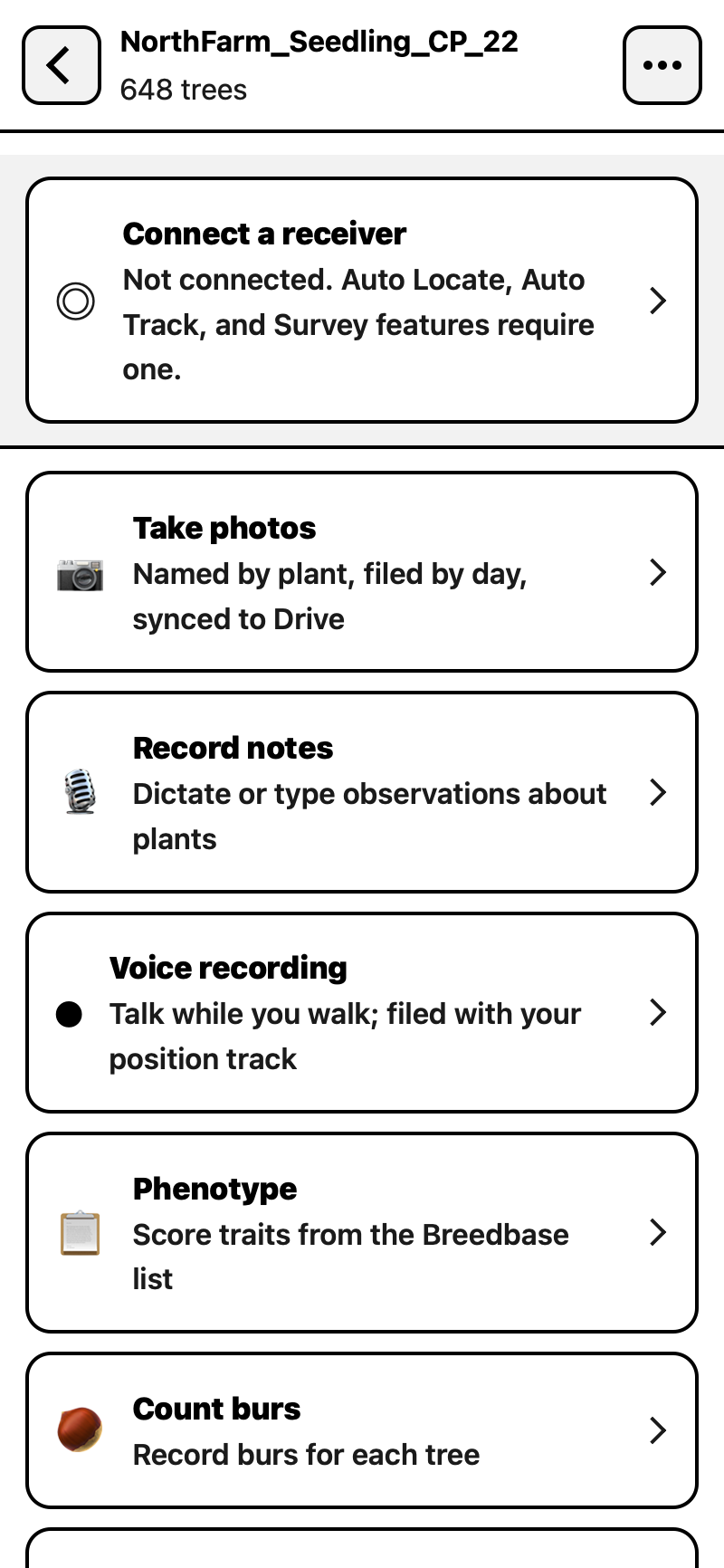
Photos are taken through TreeScribe's own camera at the phone's full resolution, which is 48 megapixels on current iPhone and Pixel models. Each one is named according to the applicable plant ID, stamped with the time and the receiver position, and filed straight into the program's Drive.
Records stay inside the program that collects them. Scores and survey points join back to the program's own database once a breeder has reviewed them. Photos, notes, audio and day sheets are filed into storage the program controls, which today is its own Google Drive.
Finding a plant and all of its records
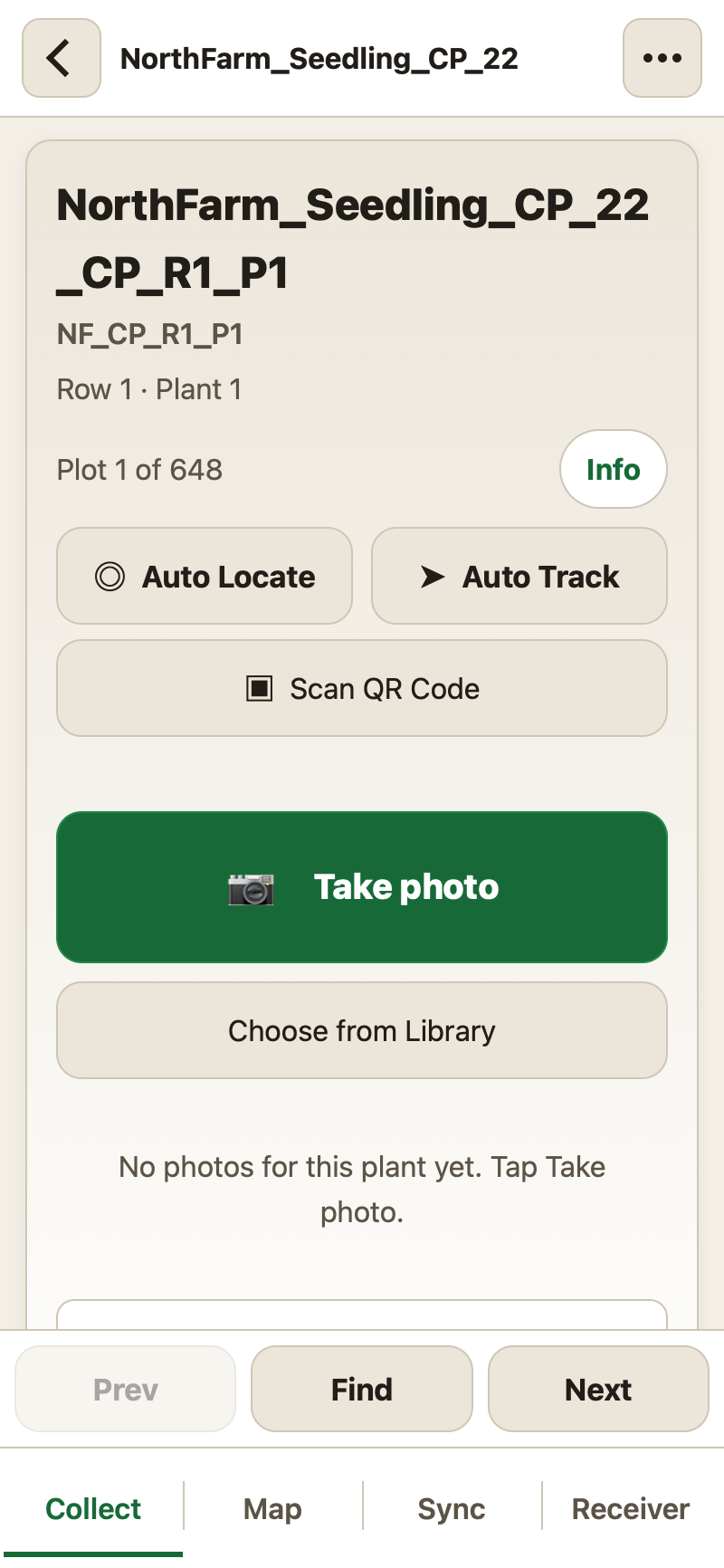
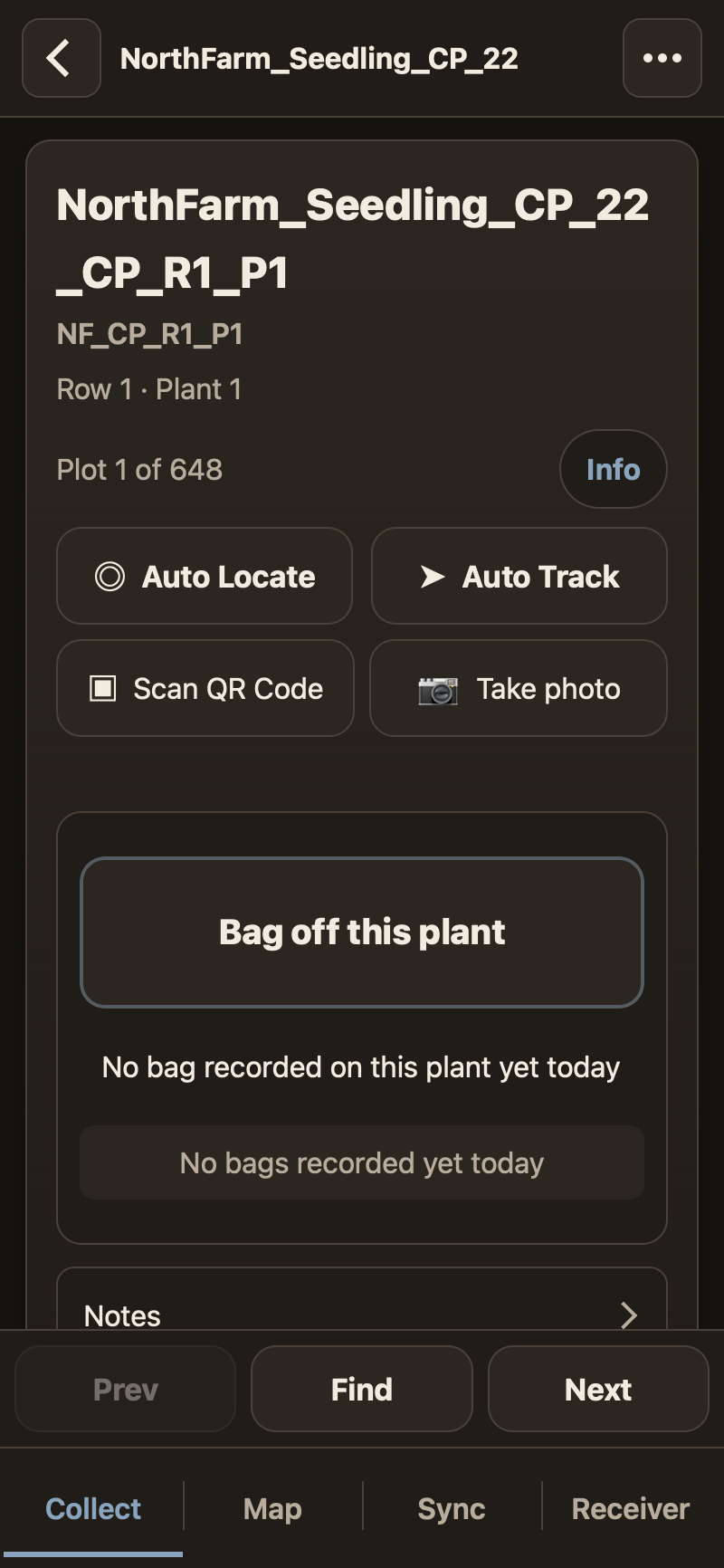
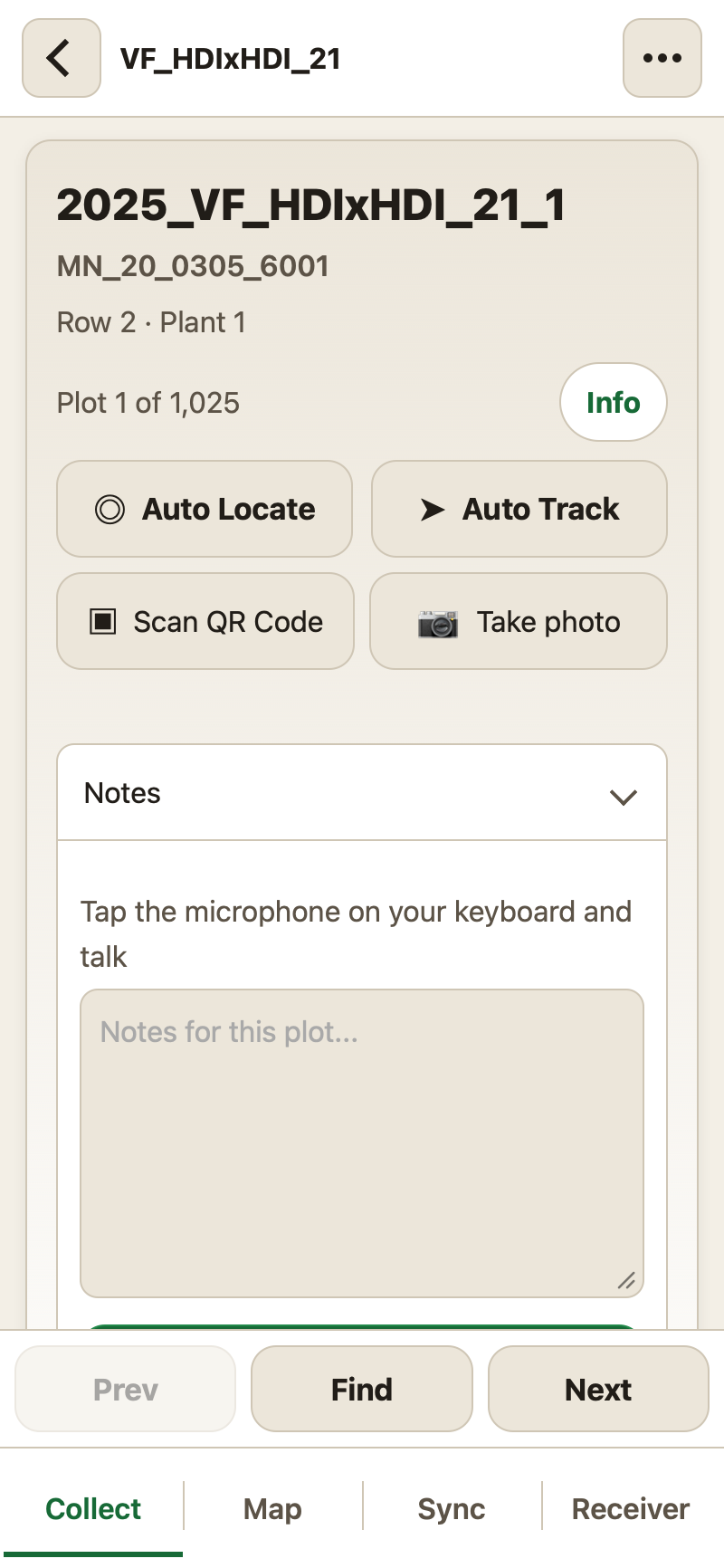
Walking a trial means stepping card to card, with every plant's identity, photos, notes, and scores in one place. You can scan a tag, search for a plant by row and position, or jump to the plant nearest to where you stand. The card contains the controls for whatever you are recording, from photos to harvest bags.
Centimeter positions from an RTK receiver
TreeScribe pulls RTCM corrections from your NTRIP caster and sends them to the receiver over Bluetooth. Enter your correction service's settings, choose a mountpoint, and start the source inside TreeScribe.
This correction path reached RTK Fix on a Reach RX and a Reach RS2+ on September 23, 2026, using receiver input 0003. Other models remain unproven. Watch the receiver's solution and baseline; app write totals alone do not prove that corrections reached it.
Before surveying, the accuracy check averages ten Fix readings for comparison with the receiver's own app at the same spot. You confirm the result and antenna height before recording survey points.
Receivers tested so far:
- Emlid Reach RX (the non-MFi revision): Verified in the field (2026-09-02).
- Emlid Reach RS2+: Verified in the field (2026-09-04).
- SparkPNT TX2: Verified in the field (2026-10-09).
The Emlid Reach RX2 has not been tested yet. More receivers will be added to this list as they are measured.
Bench measurements, under the same identities
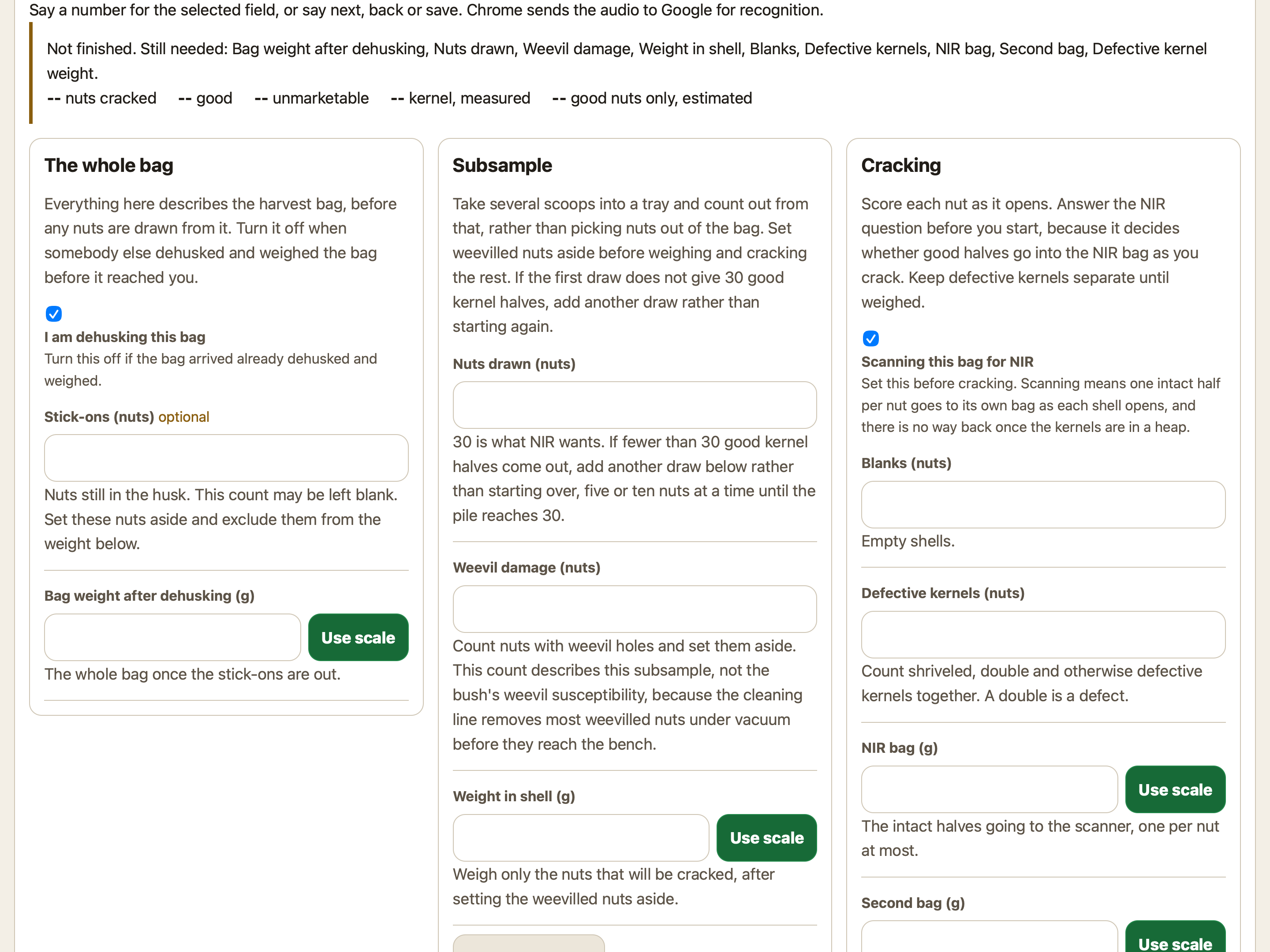
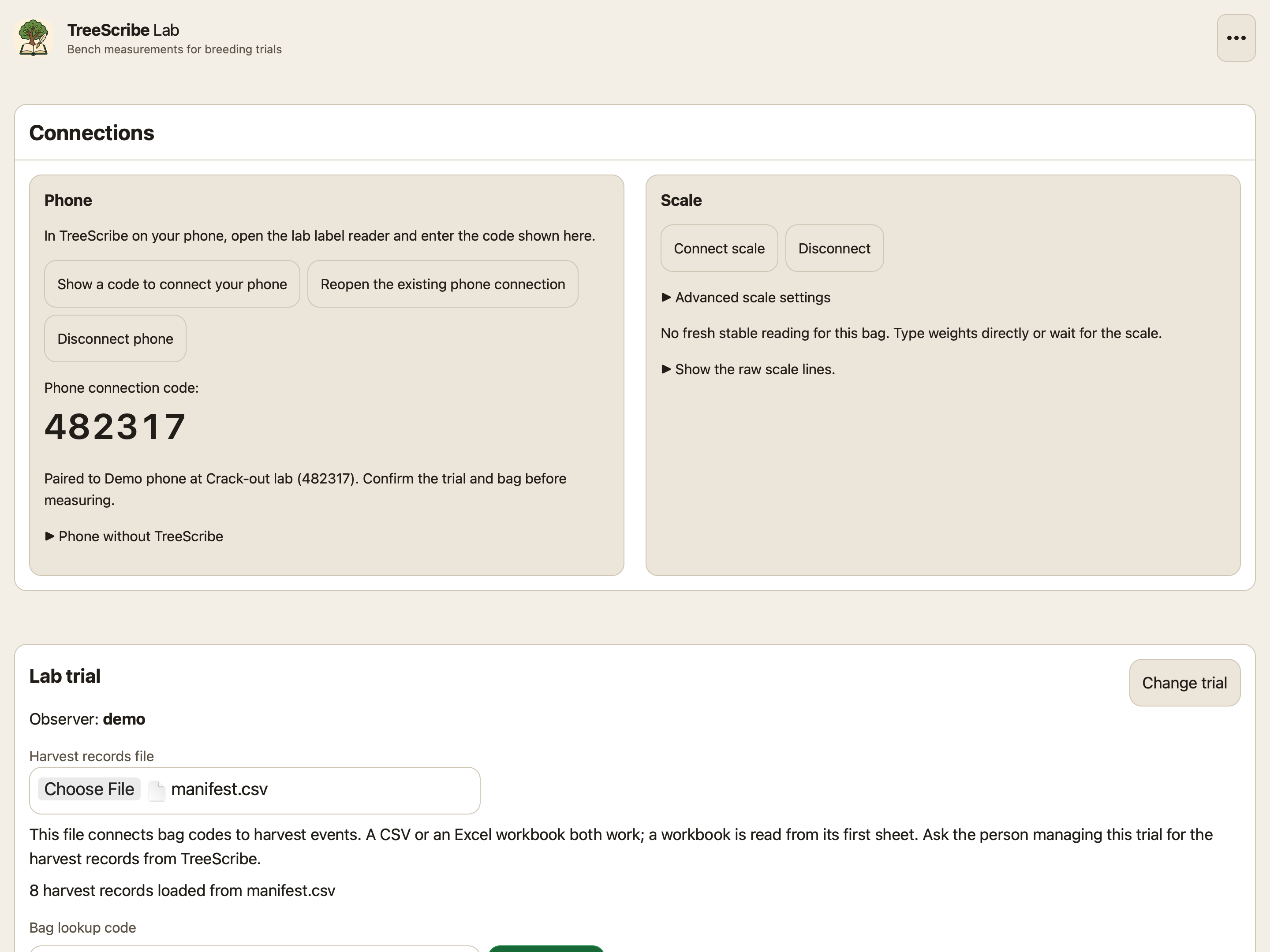
TreeScribe Lab brings the work that happens at a bench into a desktop browser. Load the harvest records, look up a bag, and enter measurements under the same plant and harvest identities the crews used in the field. Measurements stay in that browser until you export them: there is no remote backup of a bench, which is why the app says so on screen.
Hazelnut crack-out is the first worksheet, and the bench is not limited to it. A worksheet is a set of fields over the same bag lookup, the same scale and the same export, so other post-harvest measurements join it without a second application to learn.
Pair your phone with a six-character code. In TreeScribe's page menu, Pair with lab connects the phone and sends each bag label you scan to the desktop's Bag lookup code field. Confirm the trial and bag before measuring. Typing at the desktop always works, and a browser phone reader is available without the installed app.
Phone pairing is available but has not yet been used in a real crack-out session.
Reviewing a season before it becomes a record
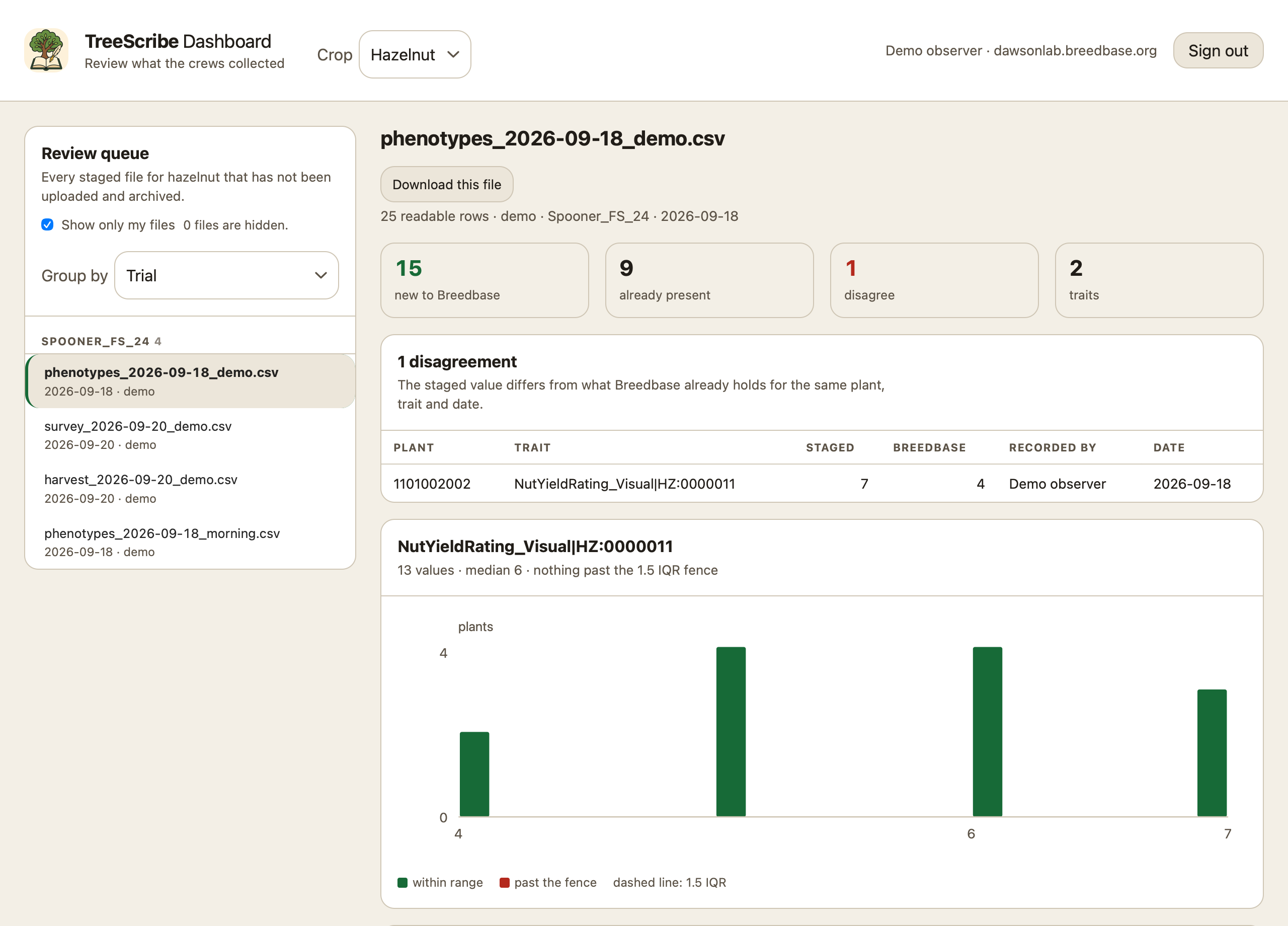
The review console is where a breeder clears what the crews collected. It lists every staged sheet waiting for the crop you choose, sorted by trial, observer, kind or day, and opening one shows every row beside what the database already holds for the same plant, trait and second: new, already there, or disagreeing.
It draws the distribution for each trait so an impossible number is visible rather than merely present, and clicking an outlier opens that plant: what the database already holds for it, and how the plants either side of it in the same row scored, so a decision rests on something. A row can be held back, and holding one back holds exactly that observation rather than everything about the plant.
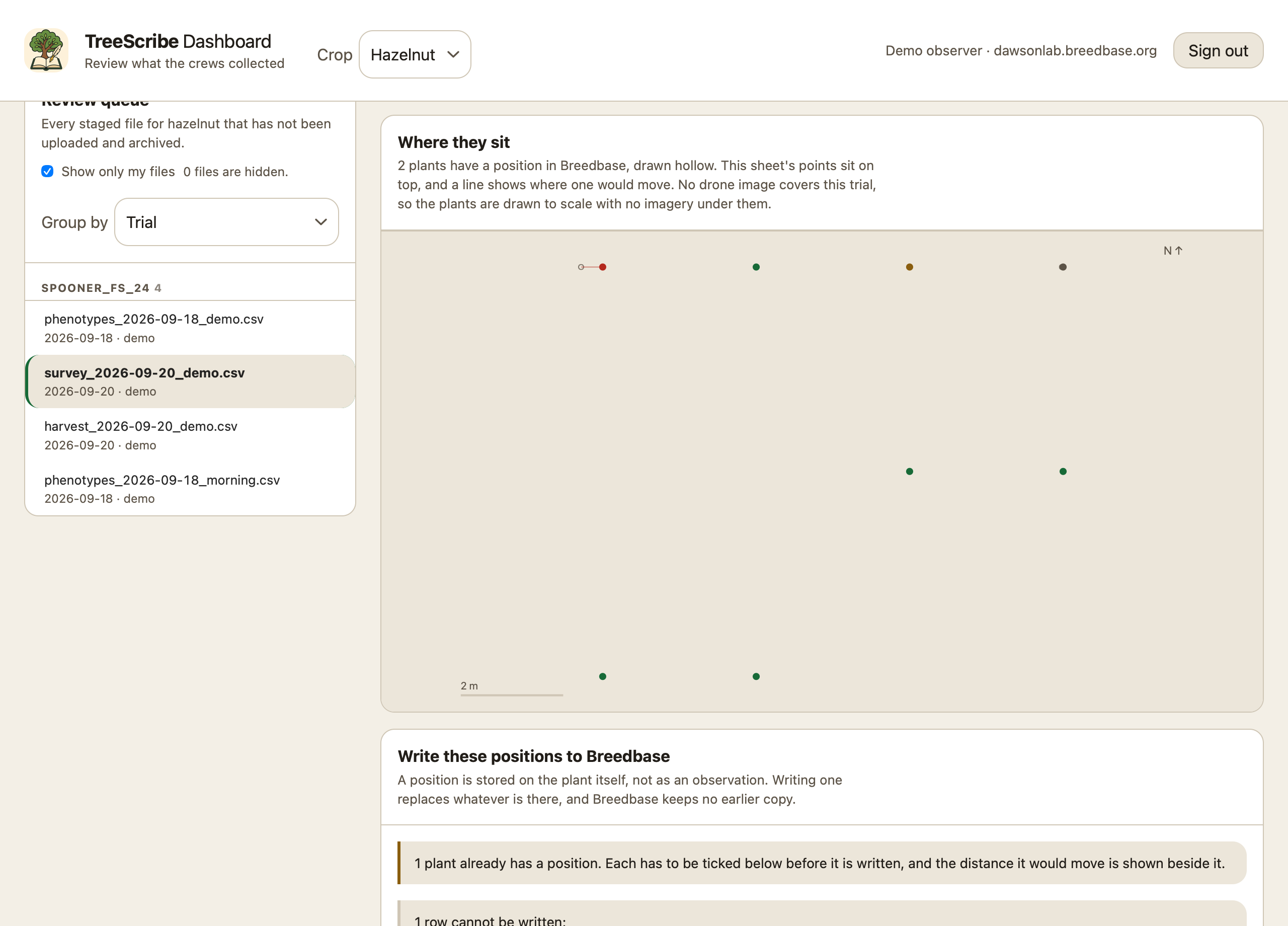
Surveyed positions get a map beside their table. Where a planting has been flown, the points are drawn over the drone image; where it has not, they are drawn to scale with a distance bar, with the positions the database already holds underneath and a line wherever a write would move one. A fix recorded by a phone is never written, and an existing position is overwritten only after you tick that plant, because the database keeps no earlier copy.
Writing goes in order: show the payload and send nothing, download it to rehearse elsewhere, or write it. Every row is read back out of the database and matched on plant, trait, time and value before anything is called done, because a database can answer success and store nothing. Only once the whole file is accounted for does the console offer to clear it off the queue, and clearing it moves the sheet rather than deleting it.
Drone orthomosaic maps that work offline
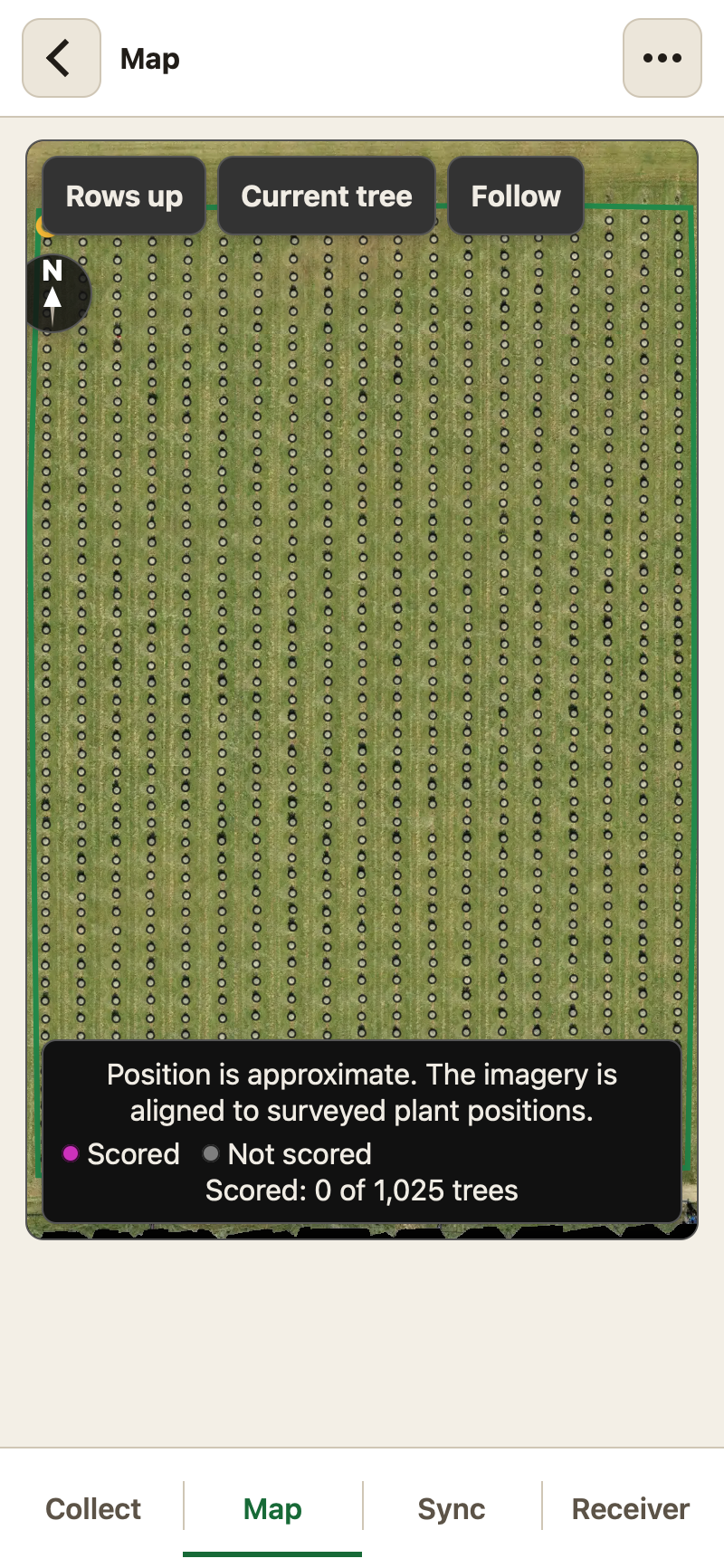
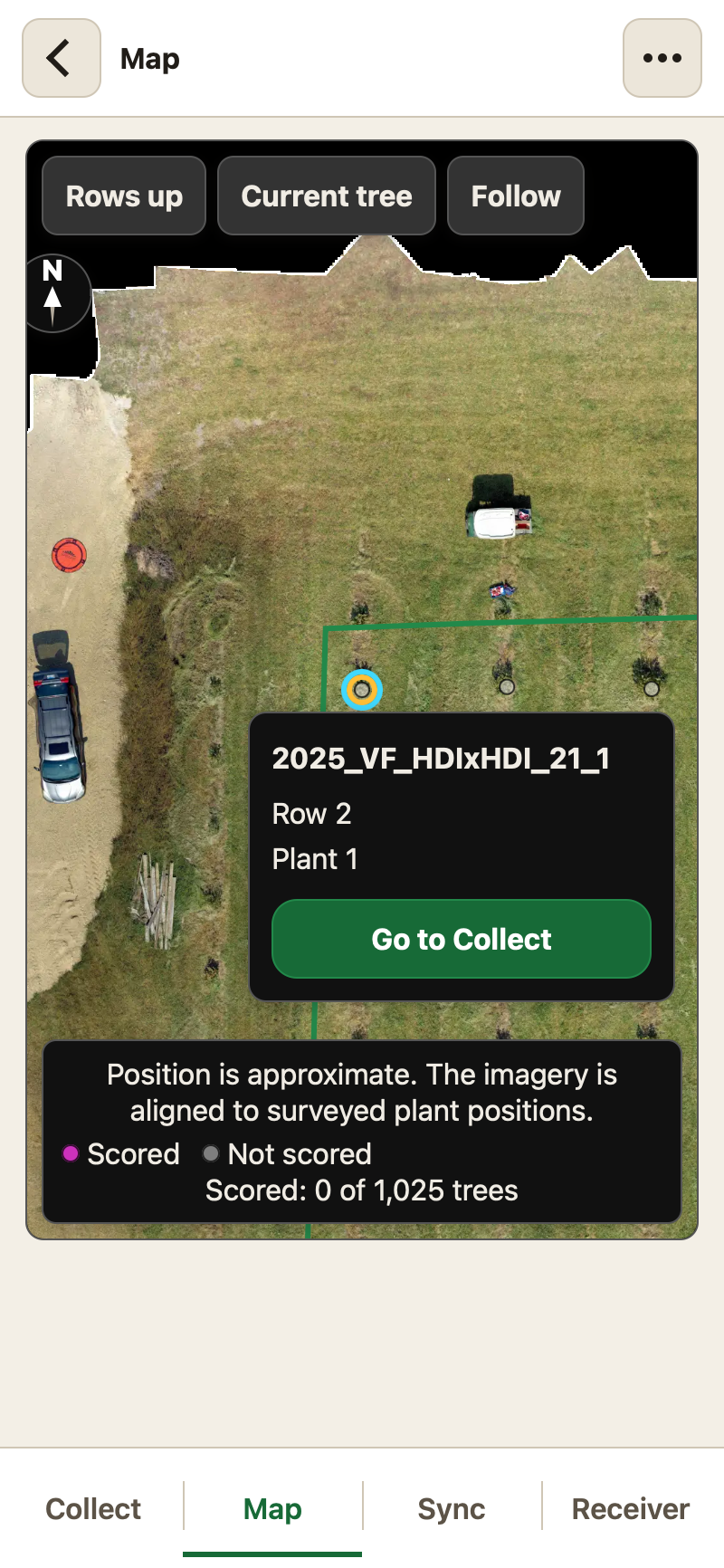
Where a planting has been flown, its map is that image rather than a grid of cells. Every plant is drawn where the program put it, surveyed or placed from the planting plan, so you can see which bush you are standing at, tap it, and open its card. Two fingers zoom and turn the image, a tap on the compass puts north back at the top, and Rows up turns the block until the rows run up the screen.
The image goes on the phone as well. One download covers every trial that shares a flight, and the map keeps working where there is no signal at all.
Trait scoring from the program's ontology
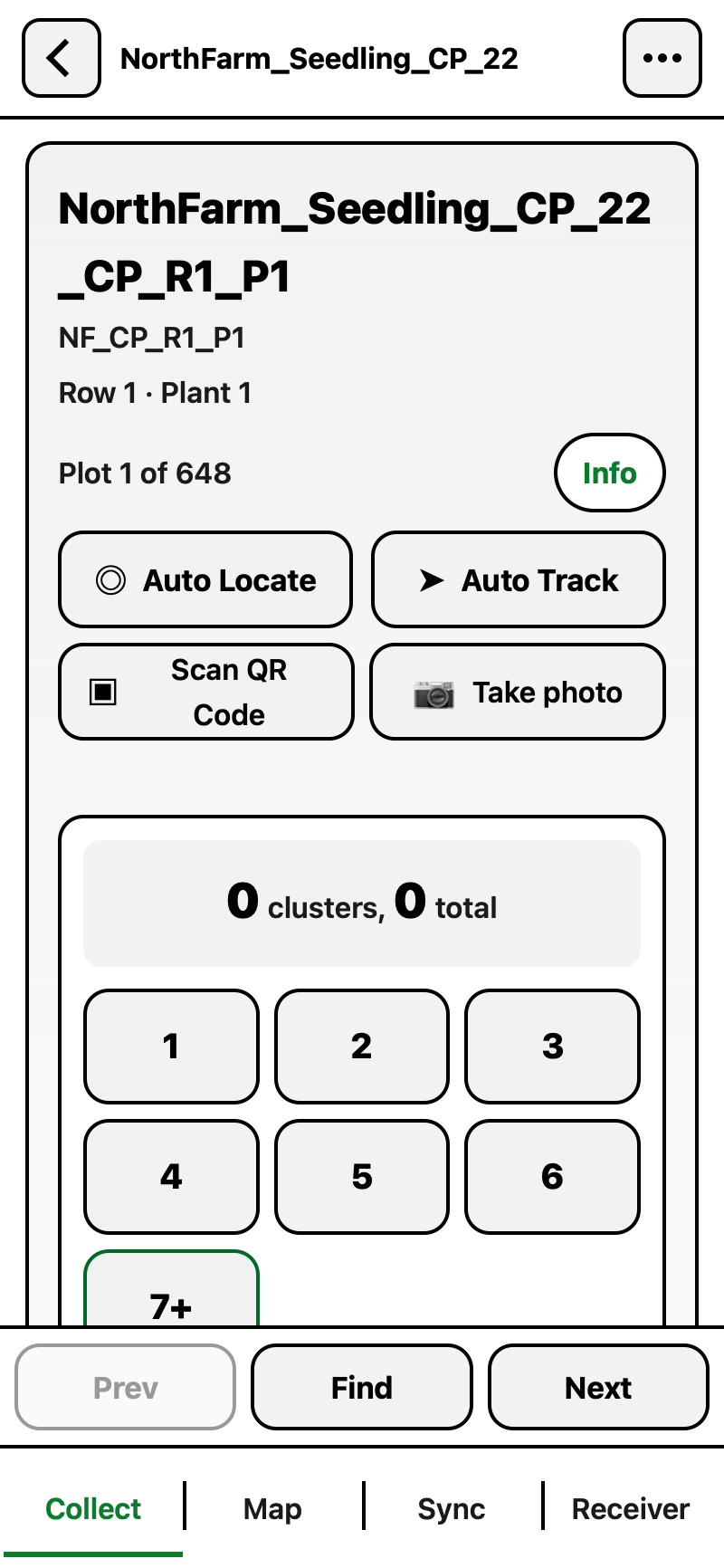
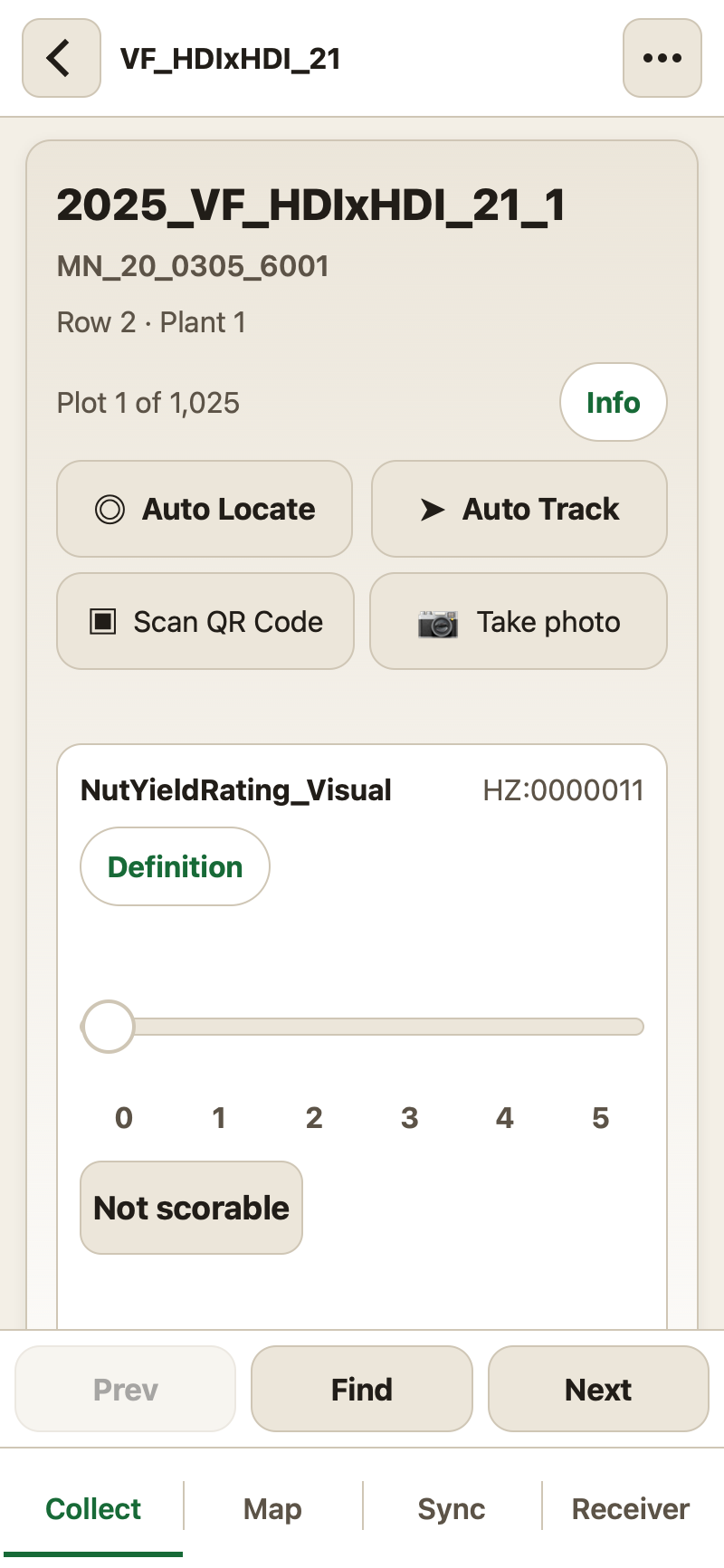
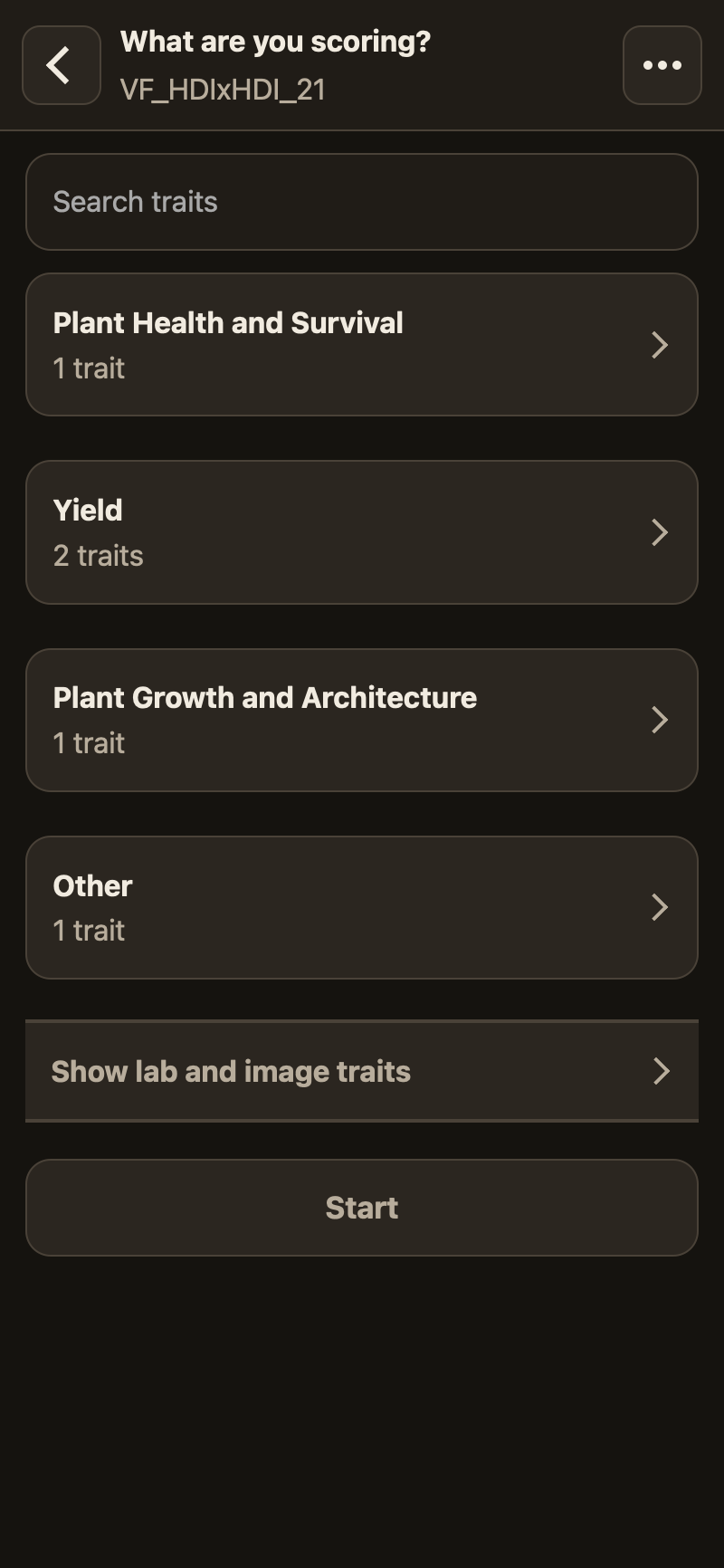
For example, when counting burs, you are provided with a keypad and a running total. A rating appears as a slider marked with its own scale. A measurement takes a number and its units. What you see comes from the trait's definition in the database, so a rating is one tap and the app can move on by itself. A typed measurement asks you to confirm it, or saves itself after a moment, whichever you set.
Trials and plants loaded from Breedbase
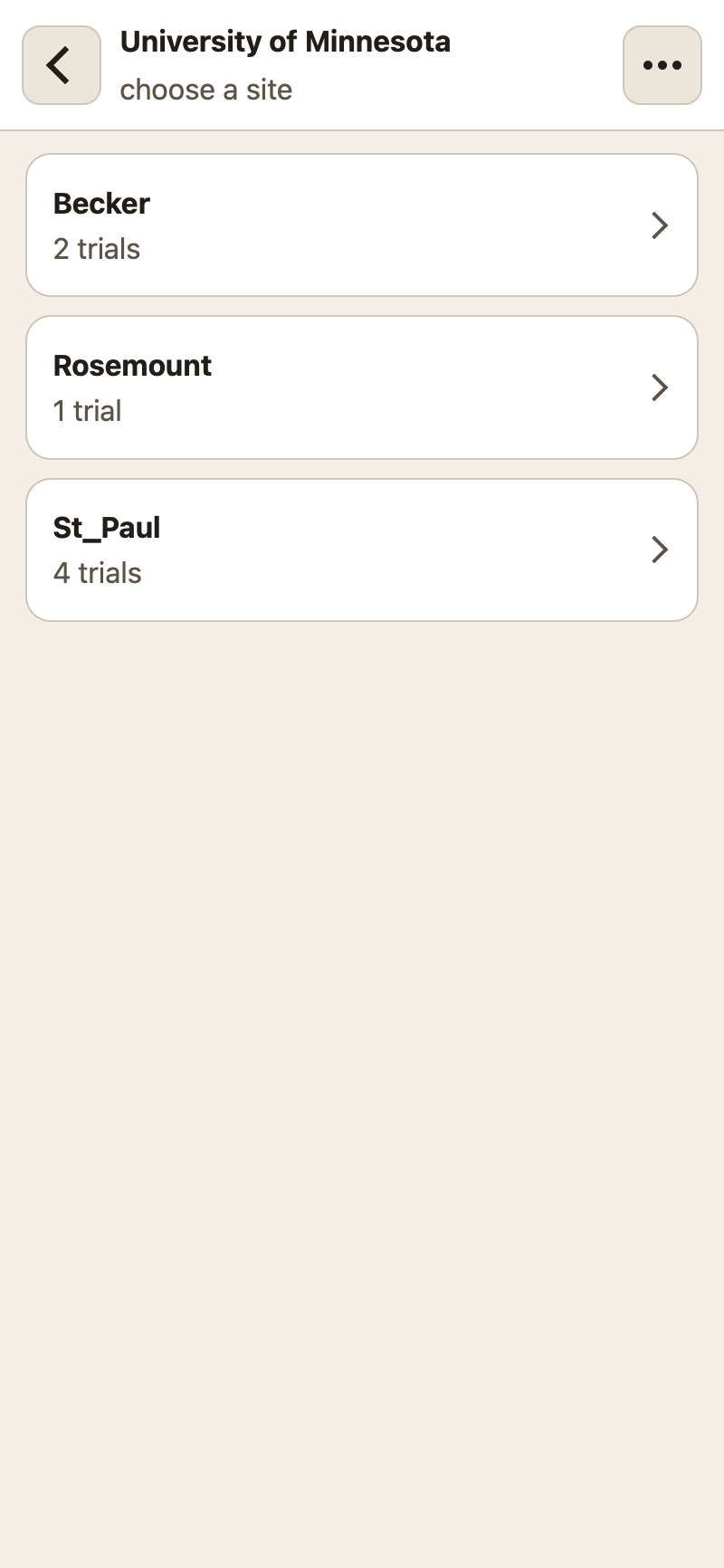
Trials are listed by program and site, exactly as the breeding program organizes them, and the trait list is the program's own ontology, read over BrAPI version 2. Nothing is retyped, and every record joins back to the database by the same names.
TreeScribe is developed and tested against Breedbase. Another BrAPI version 2 database would need its server registered and its sign-in supported, so it is a change rather than a setting.
Bulk upload of full-resolution photos
TreeScribe uploads thousands of full-resolution photographs in one run. Two thousand photographs is about thirty gigabytes. Once a photograph has been given its upload slot, the phone's own background transfer service sends it, so the app does not have to be open and the screen does not have to be unlocked.
Every transfer resumes at the byte it stopped on. A dropped connection, a closed app or a restarted phone costs seconds rather than the whole upload. A photograph counts as sent only after Drive confirms its size and its checksum, and the full-size original stays on the phone until then. Photographs can also be copied off over a cable and renamed from the manifest the app writes as it captures them.
What you can record
Full-resolution photos named by plant, typed notes, spoken notes recorded while you walk, phenotype scores, bur and fruit counts, surveyed positions, pre-harvest screening, harvest bags, replant records and a day sheet of everything done, all in one app, and all of it works offline until signal returns.
If you are interested in using TreeScribe in your program, please contact info@treescribe.app.